






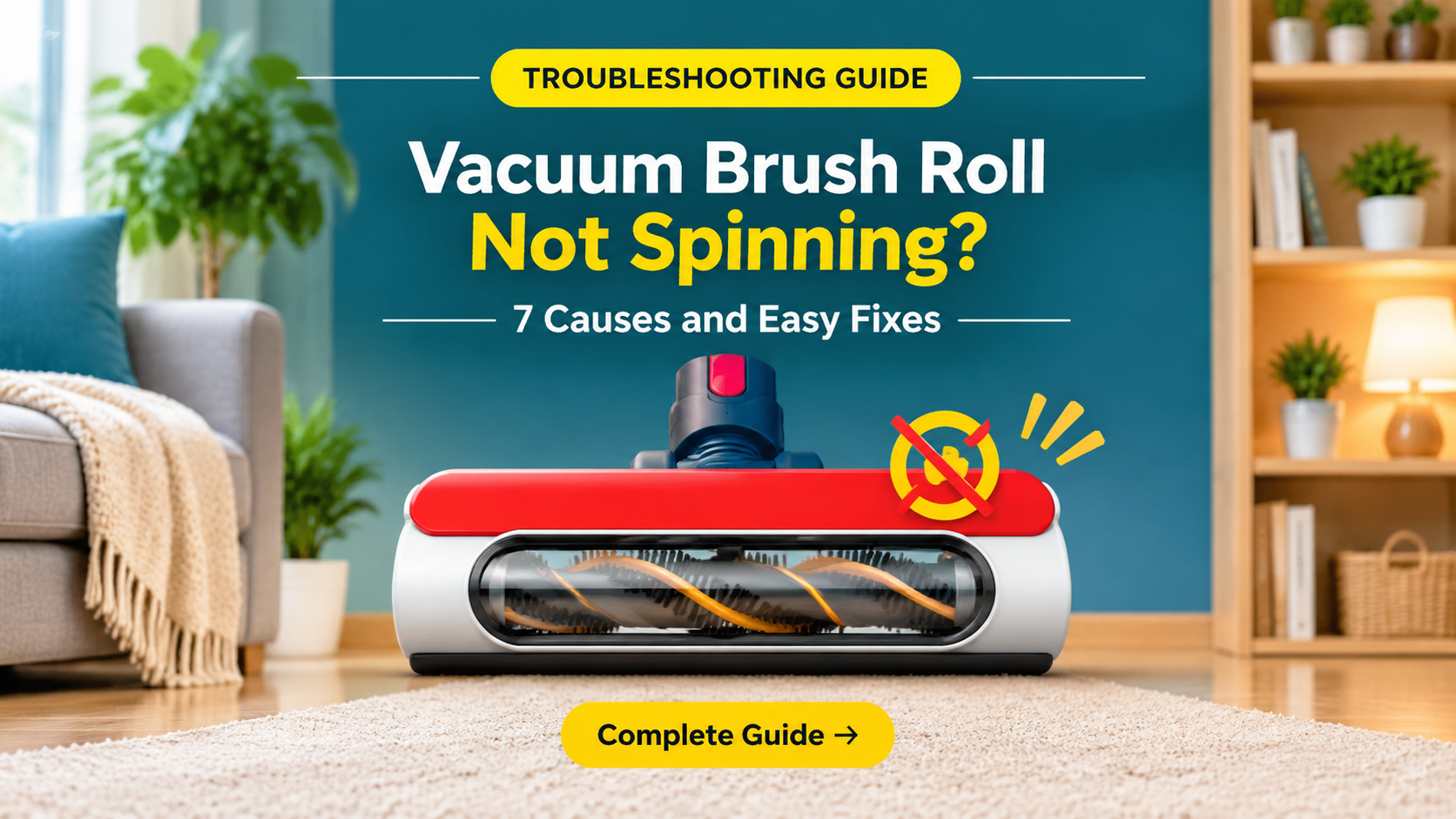
The brush roll is the part that does the heavy lifting on carpets and rugs. It agitates the fibers, loosens embedded dirt, and lifts pet hair so suction can pull it away. When your vacuum cleaner brush roll is not spinning, cleaning performance drops fast, and carpets are left looking dull and dirty.
The good news is that this is one of the easiest vacuum problems to fix. Most cases come down to a tangle, a worn belt, or a simple setting. This guide walks you through every common cause and shows you how to fix it safely.
How the Brush Roll Works
In most vacuums, the motor turns a belt or gear that spins the brush roll. On many models, a switch, foot pedal, or automatic sensor controls when the roller spins. If any piece in this chain fails, jams, or is switched off, the roller stops turning.
Quick Diagnosis Table
| Symptom | Likely Cause | Difficulty |
|---|---|---|
| Roller will not turn by hand | Tangled hair or jammed debris | Easy |
| Roller spins freely but not when on | Snapped, stretched, or slipped belt | Moderate |
| Burning rubber smell | Belt slipping or jammed roller | Moderate |
| Roller stops at random | Overheat protection or bin issue | Easy |
| Squealing or grinding noise | Worn or seized bearings | Moderate |
| Suction works but roller never starts | Brush roll switch off or faulty | Easy to Moderate |
7 Reasons Your Vacuum Brush Roll Is Not Spinning (and Fixes)
1. Hair and Debris Tangled Around the Roller
This is the number one cause. Hair, string, and carpet fibers wrap around the roller and its end caps, binding the bearings and stopping rotation. Fix: Unplug the vacuum, cut the tangles with scissors or a seam ripper, pull them free, and clear the end caps and housing. Many roller bars have a removable cap for easier cleaning.
2. Broken, Stretched, or Slipped Belt
The belt transfers power from the motor to the roller. Over time it stretches, cracks, or snaps, especially when the roller has been jammed. Fix: Remove the base plate, inspect the belt, and replace it if it looks loose, shiny, cracked, or broken. Use the exact model-specific belt and ensure it sits straight on both the motor shaft and roller.
3. Brush Roll Switch Turned Off or Wrong Mode
Many vacuums let you turn the brush roll off for hard floors, and some switch it off automatically when the handle is upright or the height setting is on bare floor. Fix: Check the brush roll button, floor-type selector, and height dial. Make sure the vacuum is in carpet mode and the handle is reclined.
4. Overheat Protection or Safety Cutoff
If the roller is jammed or the filter is clogged, a thermal protector or belt-safety clutch can stop the roller to prevent damage. Fix: Unplug, clear blockages, clean the filters, empty the bin, and wait 30 to 60 minutes for the vacuum to cool. Some models have a reset button near the brush roll housing.
5. Worn or Seized Bearings
Bearings at the ends of the roller can fill with dust and hair or simply wear out. A roller that is hard to turn by hand or squeals while spinning has a bearing problem. Fix: Clean around the bearings and replace the roller or bearing set if they feel rough or stuck.
6. Worn Gear or Motor Drive Problem
Some vacuums, especially cordless and robot models, use a small direct-drive motor or gear set. Stripped gears or a burned-out brush motor prevent the roller from turning. Fix: Replace the brush head or motor module if available, which is often cheaper than a full vacuum.
7. Roller or Brush Bar Is Worn Out
Bristles that are flattened, melted, or missing reduce cleaning, and a damaged roller can wobble and bind. Fix: Replace the brush roll every 6 to 12 months, or sooner with heavy pet hair or frequent use.
Step-by-Step Fix
- Unplug the vacuum or remove the battery.
- Turn the vacuum over and spin the roller by hand. Note whether it moves freely.
- Remove hair and debris from the roller, end caps, and housing.
- Remove the base plate and inspect the belt for wear, cracks, or looseness.
- Replace the belt if needed and make sure it is seated on the pulley and roller.
- Check the switch and floor setting to confirm the brush roll is enabled.
- Clean the filters and empty the bin to prevent overheat shutoffs.
- Reassemble and test on a carpet, then listen for unusual noises.
Troubleshooting by Vacuum Type
- Upright: Belt wear and tangles are the top causes. Check the brush roll switch and the foot release.
- Canister with power head: Check the power head connector and its own belt or switch.
- Cordless stick: Check for tangles, a stuck end cap, battery charge, and whether the brush head is fully connected.
- Robot: Clear the main roller and side brushes, check the end caps, and make sure the bin and roller are seated correctly.
How to Keep the Brush Roll Spinning
- Cut hair off the roller regularly, especially in homes with pets or long hair.
- Pick up cords, strings, and small objects before vacuuming.
- Use the brush roll off setting on hard floors, rugs with fringe, and delicate surfaces.
- Replace belts and rollers on a schedule, not only when they fail.
- Use only compatible replacement parts.
Repair or Replace?
Repair if the vacuum is under five years old and the issue is a belt, brush roll, or tangle. These parts are affordable and easy to replace. Consider replacing the vacuum if the brush motor or power head has failed and the repair costs more than half the price of a new unit, or if the machine is more than eight years old with other problems.
What to Look for in a Vacuum with a Reliable Brush Roll
- Anti-tangle brush roll: Designed to reduce hair wrap, ideal for pet and long-hair homes.
- Tool-free access: Easy removal of the roller and belt makes maintenance quick.
- Self-cutting or hair-removal features: Built-in combs or blades help prevent jams.
- Brush roll on and off control: Lets you protect hard floors and delicate rugs.
- Belt-free or direct-drive design: Fewer parts to wear out.
- Replaceable brush head: Allows repair instead of full replacement.
- Warranty and spare parts: Five years or more with easy access to belts and rollers.
- Right type for your home: Uprights for thick carpets, stick vacuums for quick cleanups, robots for daily upkeep, canisters with power heads for stairs and mixed floors.
Frequently Asked Questions
Why is my vacuum brush roll not spinning but the suction works?
The most common reasons are a broken belt, a tangle, or the brush roll being switched off or in a bare-floor mode.
How do I know if the belt is broken?
Turn the vacuum over and spin the roller by hand. If it moves freely but does not spin when on, or you see a loose or snapped belt, replace it.
How often should I replace the vacuum belt?
Every 6 to 12 months for regular use, or sooner if the roller jams often or you notice a burning smell.
Why does my brush roll stop spinning on carpet?
A clog, a tangled roller, a slipping belt, or overheat protection can stop the roller when the load increases on carpet.
Can I use my vacuum if the brush roll is not spinning?
You can still use suction on hard floors, but carpets will not clean well, and a jammed roller can damage the belt and motor.
Why does my cordless vacuum brush not spin?
Check for tangles, make sure the brush head is firmly connected, charge the battery fully, and clean the contacts.
Final Thoughts
When a vacuum cleaner brush roll is not spinning, start with the simplest causes: tangled hair, a switch or mode setting, and the belt. These checks solve most cases in minutes with basic tools. Add a regular cleaning routine and replace worn belts and rollers on schedule, and your vacuum will keep lifting dirt and pet hair from carpets for years. If the drive motor or power head has failed, compare repair costs with a quality replacement designed with an anti-tangle roller and easy maintenance.