



You are halfway through cleaning the living room when your vacuum suddenly gets hot, starts to smell odd, or simply shuts itself off. It is a stressful moment, and many people assume the machine is finished. The good news is that vacuum cleaner overheating is usually caused by something simple, such as a clogged filter or a blocked hose, and most of the time you can fix it at home in under ten minutes.
This guide explains why vacuums overheat, how to recognize the warning signs, what to do right away, and how to stop it from happening again. You will also find a quick buying checklist for anyone who is thinking of replacing an older machine.
Quick answer
A vacuum that overheats is almost always struggling to move air. Switch it off, unplug it, let it cool for 30 to 60 minutes, then empty the bin and check the filters, hose, nozzle and brush roll for blockages. If you smell burning, see smoke or sparks, stop using it and unplug it immediately.
Is It Normal for a Vacuum Cleaner to Get Hot?
A little warmth is completely normal. The motor spins at very high speed, and any electric motor produces heat while it works. You will often feel slightly warm air coming from the exhaust, and the motor housing may feel warm after a long cleaning session.
What is not normal is:
- Exhaust air that feels very hot rather than warm
- A strong burning smell that does not fade after a minute or two
- The vacuum shutting off by itself in the middle of cleaning
- Plastic parts that are too hot to touch comfortably
Many modern vacuums include a built-in thermal protection switch. When the motor gets too hot, the switch cuts the power to protect the machine. This is a safety feature, not a defect, but it is also a clear signal that something is wrong with the airflow or the motor.
How a Vacuum Motor Stays Cool
To understand overheating, it helps to know how a vacuum cools itself. In most designs, the same stream of air that carries dirt into the machine also passes over or through the motor area, carrying heat away before leaving through the exhaust. Strong airflow means a cool motor. Weak airflow means a hot motor.
This is why almost every cause of overheating comes back to one thing: restricted airflow. When air cannot move freely, the motor keeps spinning but loses its cooling stream, and the temperature climbs quickly.
Warning Signs Your Vacuum Cleaner Is Overheating
Catching the problem early protects the motor. Watch for these signs:
- Sudden shutdown. The vacuum stops mid-use and works again after resting for a while.
- Burning or hot plastic smell. A burnt rubber smell often points to a slipping belt or a jammed brush roll.
- Weak suction. Poor pickup is usually the first symptom, because the same blockage reduces both suction and cooling.
- Hot exhaust air. Air that feels uncomfortably hot against your hand.
- Unusual noise. A higher-pitched whine, a louder roar, or grinding sounds.
- Hot battery (cordless models). A battery pack that feels very hot, shorter run time, or error lights flashing.
- Smoke or sparks. This is an emergency. Unplug the vacuum at once and stop using it.
9 Common Causes of Vacuum Cleaner Overheating
1. A Clogged or Dirty Filter
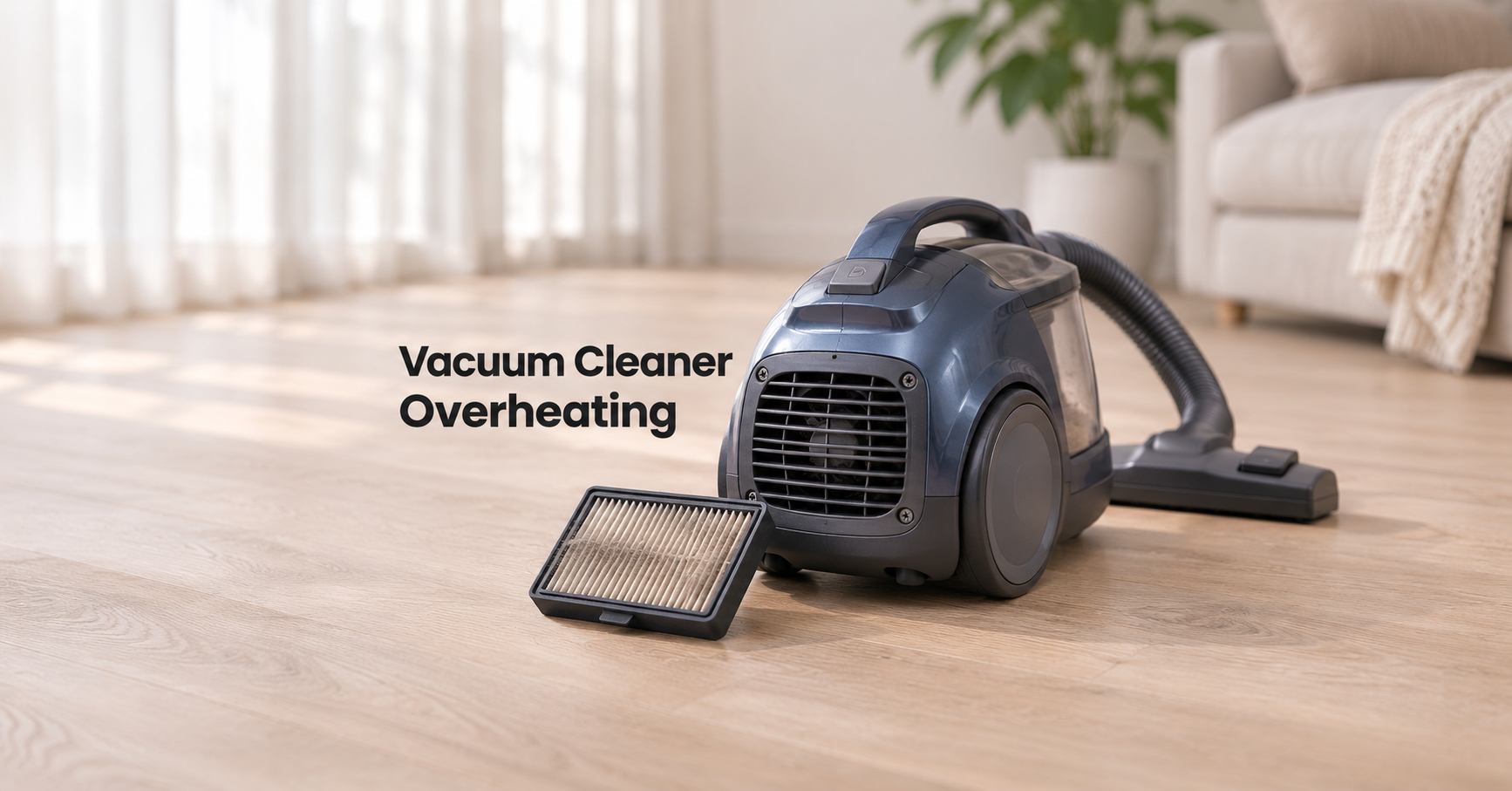
This is the number one culprit. Filters trap fine dust, and as they fill up, air struggles to pass through. The motor then runs harder with less cooling. Many vacuums have a pre-motor filter and a post-motor or HEPA filter, and both can clog. If you cannot remember the last time you cleaned or replaced yours, start here.
2. A Full Dust Bin or Bag
An overfull bin or bag reduces airflow long before it looks completely full. Bagged vacuums can lose suction once the bag is about two thirds full, and bagless bins work best when emptied after every use or when dirt reaches the maximum line.
3. A Blocked Hose, Wand or Nozzle
Socks, paper, plastic wrappers, pet hair and small toys can lodge somewhere inside the air path. Because the blockage is often out of sight, many people never notice it until the vacuum starts shutting off.
4. A Jammed or Tangled Brush Roll
Long hair, string and carpet fibers wrap tightly around the brush roll. A jammed brush forces the belt to slip or the motor to strain, creating heat and that unmistakable burnt rubber smell. Check the brush roll regularly, especially in homes with long-haired people or pets.
5. A Blocked Exhaust Vent
Dust can build up around the exhaust grille, or the vent can be pressed against fabric, a wall or furniture while you clean. Hot air then has no easy way out. Keep the vent clear and wipe it down occasionally.
6. Using the Vacuum for Too Long Without a Break
Household vacuums are designed for normal cleaning sessions, not hours of non-stop work. If you are cleaning a large home, tackling a big renovation mess or using a small portable vacuum for a big job, take a short break so the motor can cool. Check your manual for any recommended run time.
7. Picking Up the Wrong Materials
Very fine dust such as drywall dust, cement dust, flour or fireplace ash can clog filters in minutes. Ordinary household vacuums are generally not built for these jobs, and hot embers or ash can also be a fire risk. Use a vacuum designed for that purpose, or avoid vacuuming those materials.
8. Worn Motor Parts
Over the years, bearings can wear and, in some motor designs, carbon brushes can wear down. Worn parts create extra friction and heat, often with grinding or squealing noises. This kind of overheating is not cured by cleaning and usually needs a repair or replacement.
9. Electrical and Battery Problems
A damaged power cord, a loose plug, or a very long, thin extension cord can all add heat. Coiled cord on a retractable reel can also heat up if you pull out only a short length and run the vacuum for a long time. For cordless vacuums, hot weather, repeated heavy use, a worn battery or a wrong charger can cause the battery pack to overheat and trigger a protective shutdown.
What to Do Right Away When Your Vacuum Overheats
If your vacuum is hot or has just shut off, follow these safety steps first:
- Turn it off and unplug it. For a cordless model, remove the battery if you can.
- Move it to a safe, open area away from curtains, rugs and anything flammable.
- Let it cool for 30 to 60 minutes. Do not cool it with water or put it in a freezer.
- Do not keep restarting it. Repeatedly turning on a hot, struggling motor can cause lasting damage.
- Do not open sealed motor parts unless you are qualified to do so.
Step-by-Step Fix for an Overheating Vacuum
Step 1: Empty the Bin or Replace the Bag
Empty the dust bin completely, or swap the bag for a new one. Wipe the inside of the bin so no dust film remains around the openings.
Step 2: Clear the Air Path
Detach the hose, wand and nozzle. Look through each part toward a light. Gently push a long, blunt object such as a broom handle through the hose to dislodge blockages, taking care not to puncture it. Check any small flaps or valves in the nozzle where debris tends to hide.
Step 3: Clean the Brush Roll
Remove the brush roll cover, cut away tangled hair and string with scissors, and pull everything out. Make sure the brush spins freely by hand. Check the belt too. If it looks stretched, glazed or cracked, replace it.
Step 4: Clean or Replace the Filters
- Foam and washable filters: Rinse under cold running water, gently squeeze, and leave to air dry for a full 24 hours. Never refit a damp filter, since moisture can cause bad smells and motor damage.
- Pleated filters: Tap them over a trash can and brush off loose dust. Replace them if they stay dirty or damaged.
- HEPA filters: Most are not washable. Follow the manual and replace them when due.
Step 5: Check the Exhaust and Cord
Wipe the exhaust grille and make sure nothing is blocking it. Inspect the power cord and plug for cuts, kinks, melted spots or discoloration. If you see any damage, stop using the vacuum until it has been checked.
Step 6: Do a Short Test Run
Reassemble everything, plug the vacuum in and run it for about five minutes. Feel the exhaust air and listen for odd sounds. Normal warm air and steady suction mean the problem is solved. If it still overheats or shuts off, the issue may be inside the motor, the thermal switch or the electronics.
Safety warning
If you see smoke, sparks, melted plastic or smell strong burning that does not go away, unplug the vacuum immediately and stop using it. Do not try to continue cleaning. Have it inspected by a qualified repair technician or replace it.
Cordless and Robot Vacuums: Extra Overheating Tips
Battery-powered machines add a second heat source: the battery. Lithium-ion batteries work best at moderate temperatures, and heat shortens their life.
- Let the battery cool before charging. Wait until the pack is no longer hot after a heavy cleaning session.
- Use the correct charger that came with the vacuum or one approved by the manufacturer.
- Avoid heat. Do not leave the vacuum or battery in a hot car or in direct sunlight.
- Avoid max power when you do not need it. Boost or turbo mode draws more current and creates more heat.
- Stop using a swollen or very hot battery. A pack that looks puffed, leaks or gets extremely hot should be replaced, not repaired at home.
- Robot vacuums: Empty the bin often, clean the side brushes and main brush, and keep the charging dock in a cool, ventilated spot.
Overheating Triggers by Vacuum Type
| Vacuum Type | Most Common Trigger | Best Prevention |
|---|---|---|
| Upright | Tangled brush roll and clogged filters | Cut hair from the brush weekly and clean filters monthly |
| Canister | Full bag or blocked hose | Change bags early and check the hose for blockages |
| Bagless | Dirty cyclone area and filters | Empty the bin after each use and wash filters on schedule |
| Cordless stick | Heavy use of boost mode and a hot battery | Use boost sparingly and let the battery cool before charging |
| Handheld | Small motor used for long jobs | Work in short bursts and clean the filter often |
| Robot | Full bin and wrapped brushes | Empty the bin and untangle brushes regularly |
How to Prevent Your Vacuum From Overheating
Prevention is far easier than repair. A few small habits keep air moving freely and the motor cool for years.
- Empty the bin or change the bag early. Do not wait until it is completely full.
- Keep spare filters on hand so you can swap one in while the other dries.
- Use the right accessories and parts. Poorly fitting bags or low-quality filters can restrict airflow.
- Do not vacuum fine construction dust, ash or wet messes with a normal household vacuum.
- Take short breaks during very long cleaning sessions.
- Pull the power cord out fully if your model has a reel, and avoid thin extension cords.
- Store the vacuum in a cool, dry place with the cord and hose loosely arranged, not kinked.
- Read the manual. It will tell you which filters can be washed, how often to replace them and what the indicator lights mean.
Should You Repair or Replace an Overheating Vacuum?
If cleaning and clearing blockages solves the problem, you are done and no repair is needed. If the vacuum still overheats afterwards, consider these points:
- Age: A machine that is eight to ten years old and used heavily may be near the end of its life.
- Cost: If the repair quote is close to half the price of a comparable new vacuum, replacing it usually makes more sense.
- Warranty: If the vacuum is still under warranty, contact the manufacturer before attempting any repair, because opening it yourself may void the warranty.
- Parts availability: Belts, filters, brush rolls and batteries are easy to replace. Motors and circuit boards are costlier and harder to source.
- Safety: Burn marks, melted wiring or repeated thermal shutdowns after thorough cleaning are good reasons to retire the machine.
What to Look for in a Vacuum That Resists Overheating
If it is time for a new vacuum, these features reduce the risk of heat problems and make everyday maintenance easier:
- Thermal protection: An automatic shutoff that protects the motor and prevents damage.
- Easy-to-reach filters: Filters that are simple to remove, wash and refit are more likely to be cleaned.
- Washable or long-life filters: They save money and keep airflow strong for longer.
- Clear bin and full-bin indicators: You can see when it is time to empty without guessing.
- Tangle-resistant brush rolls: Especially helpful for homes with long hair or pets.
- Good motor ventilation: Well-designed airflow paths and exhaust vents help dissipate heat.
- Removable or swappable battery (cordless): Lets you rotate batteries on larger homes.
- A solid warranty and available spare parts: A sign the maker expects the vacuum to last.
- The right power for your home: A model suited to your floor types and house size will not be pushed beyond its limits.
Frequently Asked Questions
Why does my vacuum cleaner shut off after a few minutes?
The most likely reason is the thermal protection switch cutting power because the motor is too hot. Clogged filters, a full bin, a blocked hose or a jammed brush roll are the usual causes. Clean everything, let it cool, and test it again.
Why does my vacuum smell like burning?
A burning smell usually means a slipping belt, a jammed brush roll, a blocked air path or an overworked motor. A faint, brief smell of warm dust can happen with a new vacuum, but a persistent burning odor should never be ignored. Turn it off, unplug it and investigate.
How long should I let my vacuum cool down?
Plan on 30 to 60 minutes. Some models restart sooner, but giving the motor a full hour is safer. If the vacuum shuts off again quickly after restarting, the cause has not been fixed.
Can overheating damage the motor permanently?
Yes. Repeated overheating can wear out bearings, damage insulation on the motor windings and shorten the life of the vacuum. Fixing the airflow problem promptly is the best protection.
Is it safe to keep using a vacuum that gets hot?
Mild warmth is fine, but a vacuum that regularly gets very hot, smells of burning or shuts down is not safe to keep using until the cause is fixed. If you see smoke or sparks, stop immediately.
How long can a vacuum cleaner run continuously?
It depends on the model. Full-size household vacuums can usually handle a normal cleaning session, while small handheld and stick models are designed for shorter bursts. Check the manual for guidance and take a break if the machine feels unusually hot.
Can I wash my vacuum filter?
Only if the manufacturer says it is washable. Rinse it with cold water, let it dry completely for about 24 hours, and never refit a damp filter. Most HEPA filters are not washable and should be replaced.
Can a clogged filter cause a fire?
A clogged filter on its own rarely causes a fire, but it does make the motor run hotter, and heat combined with dust and worn parts increases risk. Keeping filters clean is one of the easiest safety steps you can take.
Final Thoughts
Vacuum cleaner overheating looks alarming, but in most cases it is a cry for better airflow. Empty the bin, clear the hose, untangle the brush roll and clean or replace the filters, and the problem often disappears. Build a simple maintenance routine, avoid vacuuming fine dust or ash, and give the motor a rest during long jobs. If your vacuum keeps overheating after a thorough cleaning, or shows any sign of smoke, sparks or a persistent burning smell, stop using it and get it inspected or replaced. A little care today keeps your vacuum running cooler, cleaning better and lasting longer.